
Gomatters Docket View shows all of your events and tasks in one quick look. Click an event or task title to open event or task editor. Choose from the selection ofoptions in the event edit or task edit panel to manage the item.
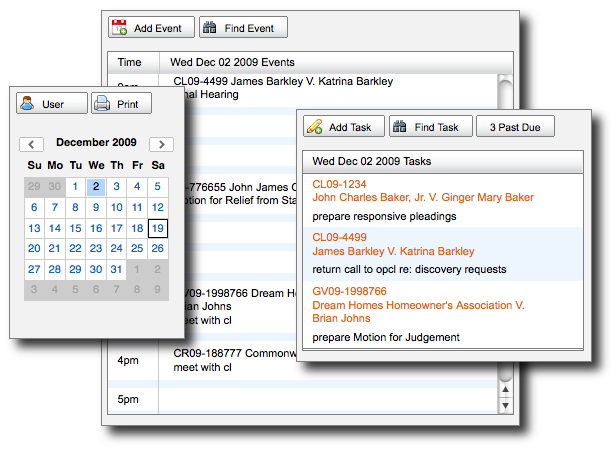
Docket View
View the docket for any member of your law firm by selecting their user name from the “User” button above the docket calendar selector.
Docket View is only available to those users who have a minimum “View Events” and “View Tasks” privileges enabled so you may need to update privileges for your office staff to enable Docket View. Learn more about how to update user privileges.
Docket View allows you to add events or tasks on a user privilege basis. To add events or tasks to your docket, click the respective “Add” buttons for each.